Quick verdict
Research-based review of official Setmore pricing and documentation, checked November 25, 2026. On 25 November 2026 we also signed up for a fresh free account and walked through the calendar, services, public booking page, integrations, and payments screens.
You want a genuinely usable free plan for a small service team
Official Free includes up to four users, unlimited appointments, and payments at $0. That is a more generous published team offer than Calendly Free (one event type, one calendar) or SavvyCal Free (links cannot take bookings).
You need sync, SMS, recurring visits, or a BAA
Official Pro is $5 per user per month billed annually, or $12 monthly. It adds two-way calendar sync, SMS reminders, recurring and video appointments, deposits, branding removal, API access, and Setmore Health with a signed BAA.
Confirm current terms on the official pricing page.
You only needed a polished meeting link
Setmore is built for services and staff calendars. For sales or consulting links, start with Calendly pricing, Cal.com vs Calendly, or SavvyCal.
Different product category, not a worse score.
Official pricing
The figures below come from setmore.com/pricing and Setmore’s official llm-info documentation, both checked November 25, 2026. They are from those public official pages, not from an in-app billing screen — the Billing page in our free account did not load.
| Plan | Official price | Users | Appointments |
|---|---|---|---|
| Free | $0 | Up to 4 | Unlimited |
| Pro | $5 per user / month billed annually, or $12 per user / month billed monthly | Unlimited | Unlimited |
| Enterprise | Custom | Custom | Custom |
Official documentation is explicit about seats: Setmore charges per user, meaning each staff member with a profile. Each staff calendar counts as a user even if that person does not have login permission. The official FAQ also states that your first four users stay free. Confirm how that waiver is applied in billing when you upgrade, because it changes the effective price for a small Pro team.
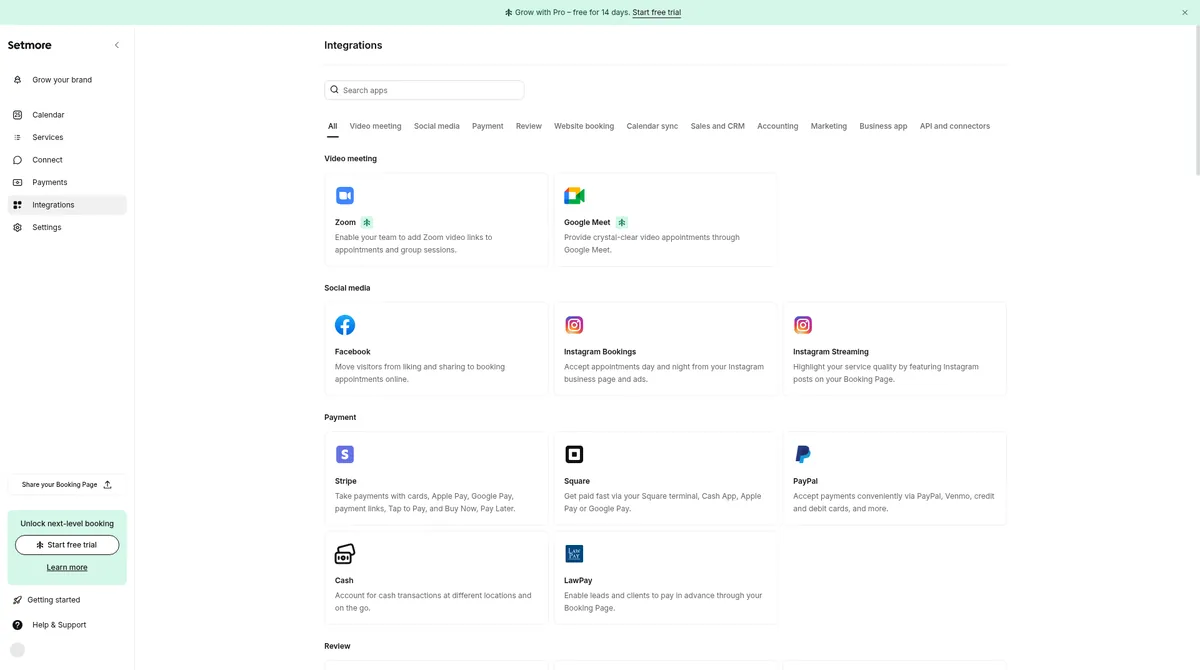
Official copy says Setmore does not take a cut of payments. Supported processors listed on official pages include Square, Stripe, PayPal, and LawPay.
Free vs Pro
Official comparison tables and documentation say both plans include a custom booking page, 1-on-1 services and group classes, email confirmations and reminders, a cancellation policy, online and in-person payments (including Tap to Pay), mobile and desktop apps, and 24/7 human support by chat, email, and phone.
Features official pages place on Pro, not Free, include:
- Two-way calendar sync with Google and Office 365
- SMS reminders (official pricing says Pro team members get 500 SMS credits each month, with more available to purchase; availability varies by country) and more than one reminder per appointment
- Recurring appointments and video appointments (Zoom and Google Meet)
- Deposits, payment links, booking forms, and custom service availability
- Remove Setmore branding, block customers, and Google review requests
- API access and Setmore Health with a signed BAA
- Priority support and related account-optimization help
The missing two-way calendar sync is the most important Free-plan caveat for anyone who already lives in Google Calendar or Outlook. A free Setmore account can still be a real booking tool; it may not stay in sync with an external calendar the way you expect unless you upgrade.
We tested Setmore’s free plan on 25 November 2026
We signed up for a fresh Setmore free account on 25 November 2026, under our editor’s name, Ryan Tan. After email verification, there was no onboarding wizard; the account opened on the calendar. This is a same-day walkthrough of the calendar, the preloaded services, the public booking page, integrations, and payments. It is not a long-term usage test. We did not connect a calendar or a payment processor, and we did not complete a booking.
A public booking page was created on a setmore.com subdomain. We are not publishing that exact address.
A green banner across the top of the app said “Grow with Pro – free for 14 days,” with a Start free trial link. The left sidebar repeated the offer under the heading “Unlock next-level booking.” We did not start that trial. Official pricing-page FAQ copy, checked the same day, describes a 30-day risk-free Pro refund instead of a 14-day trial.
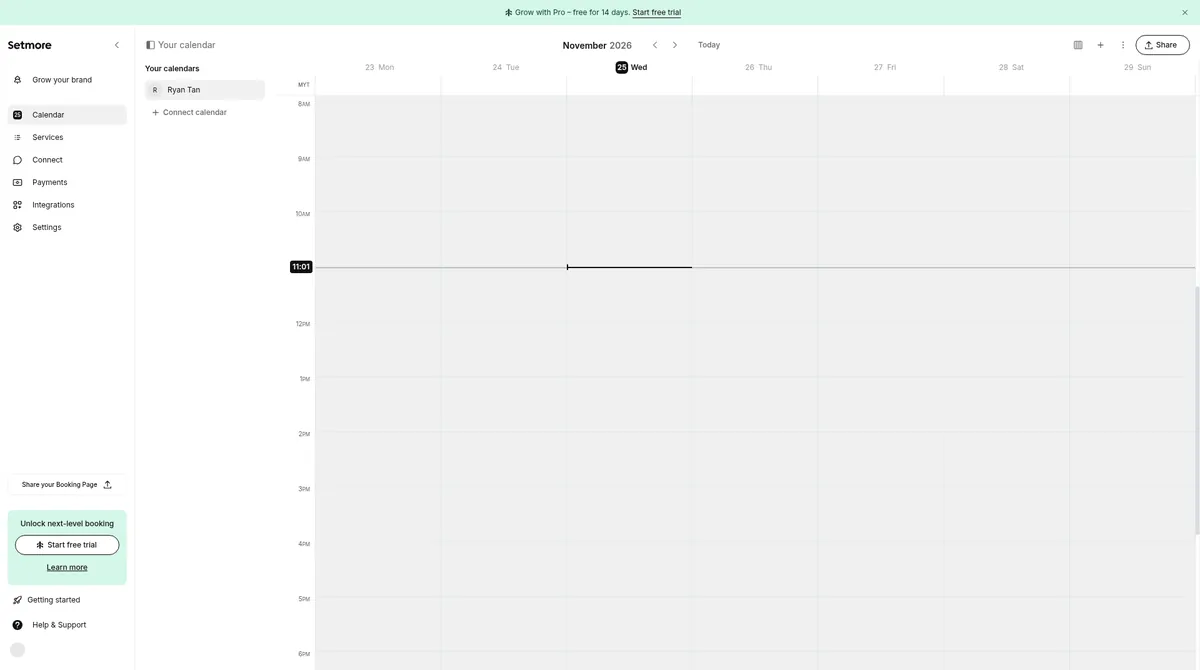
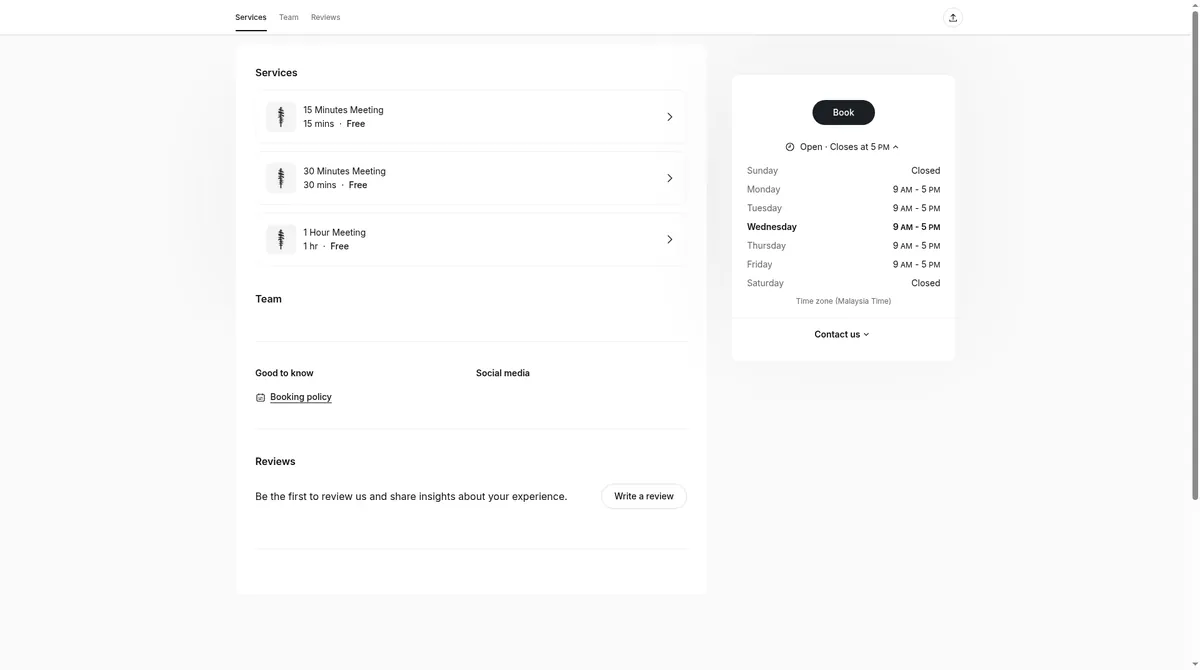
The account came with three preloaded services: 15 Minutes Meeting, 30 Minutes Meeting, and 1 Hour Meeting, each labeled “Free.” On the public booking page, default hours were Monday through Friday, 9:00 a.m. to 5:00 p.m., with Saturday and Sunday closed. The time zone was set automatically to Malaysia Time on this account.
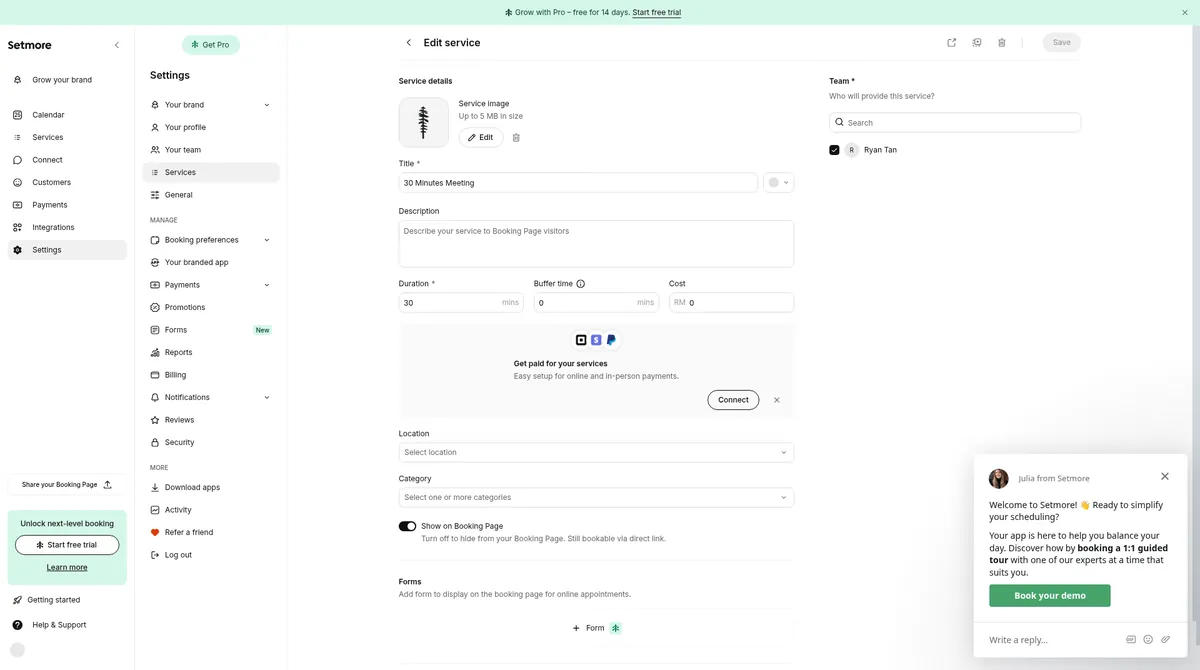
Opening the 30 Minutes Meeting editor showed fields for a service image (up to 5 MB), title, color, description, duration, buffer time, cost, location, and category. Duration was 30 minutes, buffer time was 0, and cost was shown as RM 0 — Malaysian ringgit, matching this account’s time zone. A “Show on Booking Page” toggle was on, with a note that turning it off still leaves the service bookable via a direct link. A Forms section offered “+ Form.” A payments prompt asked us to connect Square, Stripe, or PayPal. One control was locked: “Service availability – Custom availability,” labeled Get Pro. We did not save changes or add a form.
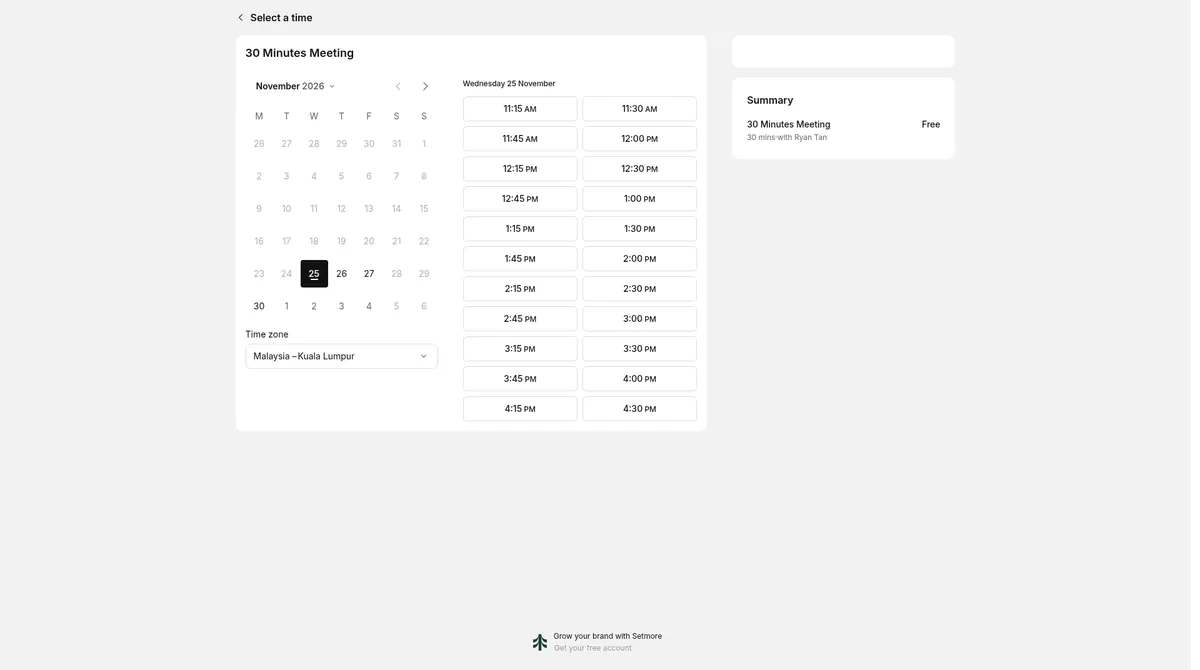
The public booking page listed those three services, the weekday hours, and the Malaysia Time zone. Choosing the 30-minute service opened a date-and-time picker. Slot start times were in 15-minute steps (for example, 11:15 a.m., 11:30 a.m., 11:45 a.m.). The footer on the slot screen read “Grow your brand with Setmore” and “Get your free account” — Setmore branding stayed on the free booking page.
The Integrations page listed, among others, Zoom, Google Meet, Facebook, Instagram, Stripe, Square, PayPal, LawPay, Google Calendar, Office 365, Salesforce, Zoho CRM, QuickBooks, Mailchimp, MailerLite, HubSpot, Slack, Google Analytics, Reserve with Google, WordPress, Wix, Squarespace, and Shopify. The top of that page also showed Cash and separate Instagram Bookings and Instagram Streaming cards. We did not connect any of these, and we are not claiming which items are limited to Pro.
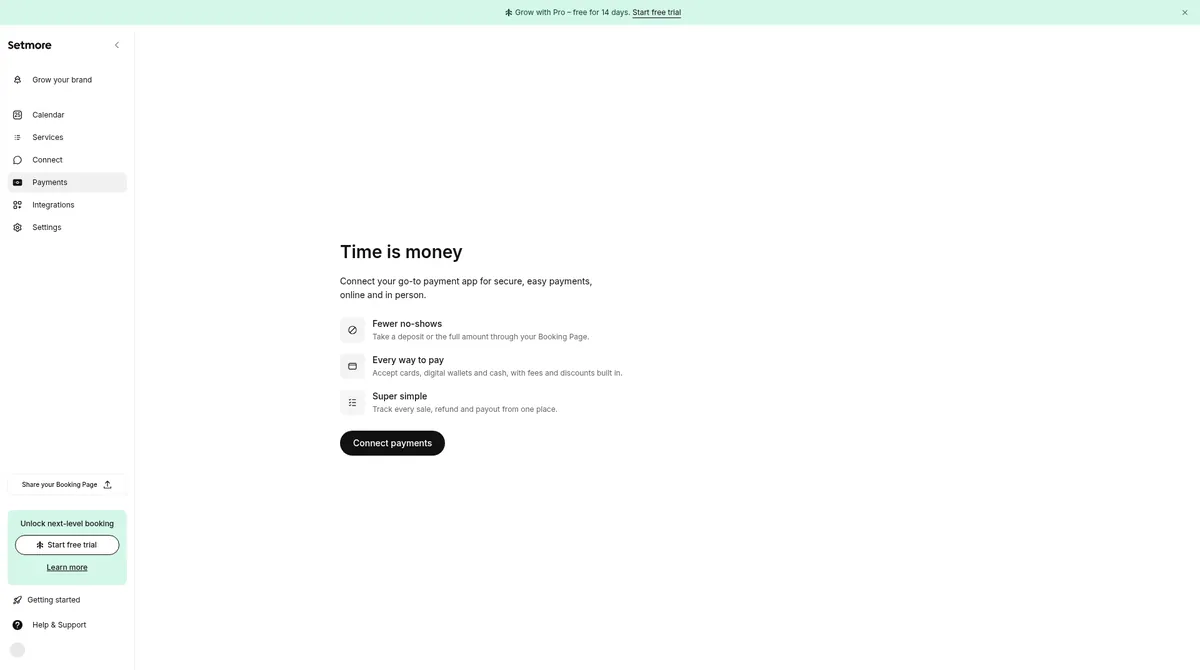
The Payments screen prompted us to connect a payment app for online and in-person payments. Copy on that screen mentioned taking a deposit. Official pricing places deposits on Pro, and we did not connect a processor or take a payment, so we did not verify what a free account can actually charge.
The dashboard was slow in our test — about 20 to 30 seconds to open each page. Notifications, Billing, Team, and business hours settings never finished loading, even after we signed in again. We therefore could not check reminder settings or staff limits inside the account. Official pages still say Free includes email reminders and up to four users; we are reporting those as official claims, not as something we confirmed in the settings screens.
What the free plan includes — and what we could not check
What we could use on Free
- A calendar after email verification, with no onboarding wizard
- Three preloaded services (15 minutes, 30 minutes, and 1 hour), each labeled Free
- A public booking page with weekday hours of 9:00 a.m. to 5:00 p.m., 15-minute slot starts, and Setmore branding in the footer
- A service editor with image, title, color, description, duration, buffer, cost, location, category, a booking-page toggle, and a forms control
- An integrations list and a prompt to connect Square, Stripe, or PayPal (not connected in this test)
What was locked, or what we could not check
- Custom service availability, labeled Get Pro in the service editor
- Setmore branding on the public booking page (still present on Free)
- Notifications, Billing, Team, and business hours settings, which did not load, so we could not check reminders or staff limits
- Deposits and what a connected payment app can actually charge on Free (not tested)
These notes come from our 25 November 2026 free-account walkthrough. Official plan limits and prices are from Setmore’s public pricing page, checked the same day, and should be confirmed there before you subscribe.
Who it is for
Official materials pitch Setmore at salons, wellness practices, coaches, tutors, and other service businesses that need staff calendars and payments. That matches the product category of SimplyBook.me and Acuity Scheduling more than it matches Calendly.
If you are comparing by profession, see our guides for salons, coaches, tutors, and therapists. For a wider menu of tools, use the 2026 scheduling software guide.
HIPAA and extras
Official documentation states that Setmore Health on Pro is HIPAA compliant and includes a signed BAA for practices handling patient data. It also says you can manage multiple locations from one login by contacting support, and that this is not available for HIPAA accounts. Review the current official health pages and the BAA itself before you store PHI. This site is not giving legal advice.
Live Receptionist is a separate official add-on at $99 per month for US-based businesses. Official copy describes it as real people answering calls and booking into your calendar, distinct from the free 24/7 human support included on every plan. HIPAA for that add-on is described as being handled through a Live Receptionist Health account.
Official pricing says you can cancel anytime, and that you can try Pro risk-free for 30 days and request a refund if you are not satisfied.
Alternatives
- SimplyBook.me — official plans priced by bookings, features, and providers rather than per user, with HIPAA listed from Standard.
- Acuity Scheduling — official Starter, Standard, and Premium plans, with a signed BAA listed on Premium. Also see Calendly vs Acuity.
- Square Appointments — official US plans priced per location, if you already take Square payments.
- Other free schedulers — including Cal.com and TidyCal, if you wanted a meeting link rather than a booking page.
- Profession guides: salons, personal trainers, and photographers.
Head to head: Setmore vs Square Appointments and SimplyBook.me vs Setmore. For payment options across tools, see scheduling software with payments.
Also compare: Acuity Scheduling vs Setmore.
Frequently asked questions
How much does Setmore cost?
Official Setmore pricing and the company’s llm-info documentation, checked November 25, 2026, list two self-serve plans. Free is $0 for up to four users, with unlimited appointments. Pro is $5 per user per month with annual billing, or $12 per user per month billed monthly, with unlimited users. Official documentation also says each staff calendar counts as a user, and that your first four users stay free. Enterprise pricing is custom. Live Receptionist is a separate official add-on at $99 per month for US-based businesses. We could not open the in-app Billing screen in our 25 November 2026 free-account test, so these figures are from the public official pages, not from an in-app invoice.
Is Setmore really free?
Yes, there is a forever-free official plan at $0. It allows up to four users and unlimited appointments, and official pages say it includes payments, a branded booking page, email reminders, and 24/7 human support. It does not include two-way calendar sync, SMS reminders, recurring or video appointments, deposits, booking forms, branding removal, API access, or a HIPAA BAA. Those are official Pro features. In our 25 November 2026 free-account test, the account opened with three preloaded services, a public booking page that still showed Setmore branding, and a Pro upsell offering 14 days free. We could not load Notifications, Billing, Team, or business hours settings, so we could not check reminders or staff limits in the account.
Does Setmore offer a HIPAA BAA?
Official Setmore documentation says Setmore Health on the Pro plan is HIPAA compliant and includes a signed BAA for practices handling patient data. Multi-location management is officially described as something you contact support to enable, and as not available for HIPAA accounts. This is not a determination that your practice is HIPAA compliant; review the current BAA and official health pages before you store PHI.
Does Setmore have a free trial of Pro?
The official pricing FAQ, checked November 25, 2026, says you can try Pro risk-free for 30 days and request a refund if you are not satisfied. That page did not list a separately billed 14-day trial. In the free account we opened the same day, a banner and sidebar offered “Grow with Pro – free for 14 days” and a Start free trial button. We did not start that trial. Confirm the current refund or trial terms in the account or with Setmore support.
Free download
The scheduling software buyer’s checklist
A one-page, printable checklist (PDF) for comparing booking tools before you pay: the pricing model, free-plan limits, payments and fees, HIPAA and BAA questions, calendar sync, and the hidden costs that change the total. No vendor sponsorship.
Prefer to read it now? Open the checklist page.
Keep reading
Acuity Scheduling vs Setmore (2026)
Acuity Scheduling vs Setmore in 2026: Setmore is free for up to four users with Pro at $5 a user; Acuity starts at $16 per account. Pricing, HIPAA, payments.
Setmore vs Square Appointments (2026)
Setmore vs Square Appointments in 2026: two free plans compared — per-user vs per-location pricing, payment processors, reminders, no-show fees, and HIPAA.
SimplyBook.me vs Setmore (2026)
SimplyBook.me vs Setmore in 2026: flat per-account plans with booking caps vs per-user pricing with a free plan for 4 users — payments, SMS, and HIPAA compared.
Acuity Scheduling Review (2026)
Acuity Scheduling review for 2026, from official pricing: Starter, Standard, and Premium plans, account-based billing, packages, and the Premium HIPAA BAA.